Free tool · Both tracks · Day 3
Content Engine
Turn 10 of your past posts into a voice guide, four pillars, a hook bank, a 30-day calendar with 10 drafts and a keyword DM funnel you run in one weekly batch.
Keyword
CONTENT
- First result
- 30 min
- Track
- Both tracks
- Challenge
- Day 3
Claude skill + method guide + content calendar (CSV)
No email, no account. Last reviewed · written for current Claude and ChatGPT models.
What it does
What you'll have after the first session
- Voice Guide: 6–8 rules pulled from your own posts, each with a do/don't example and the quote that proves it, plus a "never say" list and a claims policy.
- Pillar Matrix: four pillars, each one answering a real buyer question and pointing at one offer or free resource.
- Hook Bank: 15 hook patterns with the mechanism behind each, your own versions of them, a guard that stops each one becoming clickbait, and a starter set of 5–6 to rotate first.
- 10 approval-ready drafts: 4 reel scripts in the five-beat format (hook, tension, proof, payoff, keyword CTA), one per pillar, and 6 repurposed assets from the first two scripts. Each one has its claim check run and its open items listed.
- A 1→10 repurposing map you reuse for every idea after that.
- A keyword funnel design: the keyword for comments and story replies, the public reply, the DM, your two audience segments, the links, the tags, the follow-up, and how the keyword reaches your sign-up form or booking link.
- A 30-day content calendar: four weekly batches, sized to the time you actually have.
This is the system I'm building Labgenz's content on, and the one I'd set up for a client. It turns what you know into short videos, carousels, posts and emails without writing each one from a blank page. You give it 10 of your past posts. It gives you back a voice guide with evidence, four content pillars tied to what you sell, a bank of hook patterns, a reel script format, a map that turns one idea into ten assets, a 30-day calendar with 10 drafts ready for your approval, a weekly batch routine, a comment-keyword DM funnel that carries the keyword through to a sign-up or booking, an honest way to use an AI version of yourself, and a one-tab analytics sheet that tells you what to keep.
It ships as three files: this guide, a Claude skill (SKILL.md) that runs the whole engine for you, and a content calendar (content-calendar.csv) you import into Google Sheets.
Time to first result: about 30 minutes for the Voice Guide and one script. The full setup, including all 10 drafts, takes one focused day or two afternoons. After that, the weekly batch runs in about two and a half hours, spread over three short sessions.
30 minutes to a first result.
What you’ll need
- 10 past posts you wrote without AI, or 600+ words of your own writing (a transcribed voice note counts)
- Your offer in one sentence and one free resource you can send by DM
- 10 real questions buyers ask before they buy
- A Claude or ChatGPT account
- A Google account for Sheets
- An Instagram professional account (Creator or Business) for the keyword funnel
- A sign-up form or booking link that can store a UTM value (most form and booking tools can)
- Optional: an AI avatar and voice tool, used only with your own consent and with disclosure
What it costs
- Claude or ChatGPT: free tier works for a first pass; paid individual plans around $20/month (Skills need a Claude plan with Skills enabled)
- Google Sheets: free
- Instagram professional account: free
- ManyChat: free plan with limits; paid plans priced by contacts, from around $15/month at the time of writing
- Recording and editing (phone camera, CapCut or similar): free tiers available
- AI avatar and voice tool: optional, vendor pricing varies
Kemi Adeyemi (fictional person, invented for this example) runs a four-person bookkeeping practice for online shops (OPERATE track). Her free resource is a month-end close checklist; her keyword is CLOSE. She has 2.5 hours a week and approves on Sunday evenings.
Two of her seven voice rules (from Prompt 1, extracted from her old client emails and LinkedIn posts):
| Rule | Do | Don't | Evidence |
|---|---|---|---|
| Name the account before the advice | "Your Stripe payouts and your bank deposits won't match. Here's why." | "Reconciliation can be tricky!" | "payouts never equal deposits, and that's normal" |
| End on the next action, not a slogan | "Check your fee line before you file." | "Stay on top of your books!" | "before you send it to me, check one thing" |
Her pillar matrix:
| Pillar | Job | Buyer question | Leads to | Share |
|---|---|---|---|---|
| The close, step by step | Method | "What do I actually do at month end?" | CLOSE checklist | 35% |
| Inside a real close | Proof | "What does a clean set of books look like?" | Monthly bookkeeping plan | 30% |
| Bookkeeping myths for shop owners | Point of view | "Can't my app just do this automatically?" | CLOSE checklist | 20% |
| Is it time to hand it over? | Path | "When should I stop doing my own books?" | 15-minute call | 15% |
One reel script (pattern HP04, same input with two outputs; presented by her AI version, labelled):
REEL — M2 — The close, step by step — FICTIONAL EXAMPLE
Presenter: AI version of Kemi (label on from 0s)
Keyword: CLOSE → DM delivers: month-end close checklist
         https://example.com/close?utm_source=instagram&utm_medium=social&utm_campaign=close
Hook pattern: HP04

[0–3s HOOK]
On-screen: Same shop. Two month-ends.
Say: Same shop, same month. One close took an evening, one took a week.
Visual: two spreadsheets side by side

[3–10s TENSION]
Say: The difference wasn't software. It was the order things got checked in.

[10–25s PROOF]
Say: Left: bank first, then payouts, then fees — nothing matches, so you start over. Right: payouts first, fees split out, then the bank. It matches on the first pass.
Visual: screen recording of the two orders (sample data)

[25–35s PAYOFF]
Say: Reconcile payouts before the bank, and split the fees out as their own line.
On-screen: Payouts first. Fees separate.

[35–45s CTA]
Say: Comment CLOSE and I'll send you the full checklist.
On-screen: Comment CLOSE

CHECKS
Claims: "took a week" → [VERIFY: Kemi to confirm from a real client file, or change to "took days"]
Proof needed: [NEEDS: sample data spreadsheet with no client details]Kemi changes "took a week" to "took days" because she can't point to the specific file. She approves the script, generates the clone take, and runs the clone checklist. The second take fixes "reconcile", which the first take mispronounced.
Her setup output: a 30-day calendar at the 2.5-hour row (3 reels and 5 repurposed assets a week) and 10 drafts for her Sunday approval: M2 above plus one reel for each of her other three pillars, and 6 assets repurposed from M2 and the myth reel. Her starter set is five patterns: HP02, HP04, HP06, HP10 and HP15.
Her funnel (the Step 7 template, filled): keyword CLOSE on reels and carousels (comment trigger) and on stories (story-reply trigger). Her segment question is "Do you do your own books?", with [I do my own books] → seg_diy, whose DM 2 links to a short walkthrough of the checklist, and [Someone does them] → seg_has_help, whose DM 2 links to her booking page. Both are full https://example.com/... URLs with the same UTM parameters, and her booking tool stores utm_campaign on every booking, so calls can be counted per keyword.
Week 5 review (fictional numbers, 12 keyword reels so far): her method reels are above her own reel median for keyword rate, while her point-of-view reels hold attention but get few CLOSE comments. Her carousels have only five rows with results, so they're logged and not judged yet. Prompt 7's one decision: keep the point-of-view pillar, but end those reels with a payoff that leads into the checklist instead of a general opinion. She keeps the same hooks so she can see whether the change worked. The pattern reads are marked directional: none of her five patterns has more than three uses yet.
The tool · free, ungated
Content Engine, in full
Read it here, copy any prompt with one tap, or download the files and keep them. Three files, one tab each.
index.md · The method: voice, pillars, hooks, scripts, repurposing, batch, keyword funnel with attribution, clone disclosure, like-for-like analytics
Why I build content as a system
As a former CTO of a US marketing agency, I led a team of 12 developers and I've managed 45+ digital projects. The pattern I saw over and over: the work that lasted had a system behind it, and the work that died was done by heroics. Content is the same. Most people don't have an ideas problem. They have no voice rules, so every post sounds different. They have no pillars, so nothing leads to an offer. They write one post at a time, so a busy week kills the habit. And they track likes, so they never learn what brings in a conversation.
AI makes all of that faster, including the bad parts. Without your voice, it writes the same flat post everyone else's AI writes. Without a claims policy, it invents a statistic. Without a link to an offer, it produces content that's pleasant and goes nowhere.
The engine splits the work into two parts:
- Decided once, revisited each quarter: voice, pillars, hook bank, keyword funnel, disclosure rules.
- Repeated every week: pick ideas, script, produce, repurpose, schedule, read the numbers, change one thing.
AI drafts. You decide what goes out. That gate never moves.
Who it's for
LAUNCH (starting a business): you have expertise and maybe a small following, but no steady output and no route from a post to a first conversation. Your pillars point at the offer you chose on Day 1 and at one free resource. Your first goal is a consistent weekly rhythm and your first keyword DMs, not reach.
OPERATE (running a business): you have customers, a sales inbox full of real questions and no time. Your pillars come from those questions, and your proof is real jobs (with permission). Your first goal is content that answers what buyers ask before they call, in a rhythm you or one team member can approve.
Before you start
Inputs
- 10 past posts you wrote without AI: captions, LinkedIn posts, newsletter sections, video transcripts. If you have fewer, add customer emails or a transcribed voice note of you explaining your work. Aim for 600+ words in total.
- Your offer in one sentence and one free resource you can send by DM. If you haven't got these, do Offer Lab first for LAUNCH, or write the one paid next step you want people to take for OPERATE.
- Your business context. A Business Brain context pack is ideal. A half-page summary (who you serve, what you sell, what you never say) works too.
- 10 real questions buyers ask before they buy (from DMs, emails, calls, comments).
- A proof inventory: what you can show, and whether you have permission to show it.
- Your real weekly capacity: how many pieces you can review and approve, and when.
Tools and costs (checked 9 November 2026; check current pricing before you buy)
| Tool | Job in the engine | Cost |
|---|---|---|
| Claude (or ChatGPT) | Runs the prompts and the skill | Free tiers work for a first pass. Paid individual plans are around $20/month. Skills need a Claude plan with Skills enabled; otherwise paste the skill into a Project |
| Google Sheets | Calendar and analytics | Free |
| Instagram professional account (Creator or Business) | Publishing, insights, keyword DMs | Free |
| ManyChat | Comment keyword → DM automation | Free plan with limits; paid plans are priced by contact count, starting around $15/month at the time of writing |
| Phone camera, CapCut or similar | Recording and editing | Free tiers available |
| AI avatar and voice tool (optional) | An AI version of you as presenter | Varies by vendor. Read their consent and commercial-use terms before you train anything |
Security and privacy
- Never paste passwords, API keys or tokens into a chat, a sheet or the skill. Connect ManyChat and schedulers through their own login screens.
- Remove customer names, handles, emails and phone numbers from samples before you paste them.
- Turn off model training on your data in your AI tool's settings where that option exists.
- Never put a name, email or handle in a link. The only parameters this engine adds to URLs are non-personal:
utm_source,utm_medium,utm_campaign(the keyword) and, if your page needs one, a single segment value such astrack=operate.
How the engine fits together
10 past posts ────▶ VOICE GUIDE ────┐
buyer questions ──▶ PILLAR MATRIX ──┼──────▶ IDEAS (one per calendar slot)
proof inventory ────────────────────┘          │
                                               ▼
                             HOOK BANK ──▶ REEL SCRIPT (5 beats, keyword CTA)
                                               │
                      ┌────────────────────────┼────────────────────────┐
                      ▼                        ▼                        ▼
               1→10 REPURPOSE           KEYWORD FUNNEL          CONTENT CALENDAR
              (carousel, email,     (comment / story reply     (30 days, sized to
             post, FAQ, story…)    → DM → page → next step)    approval capacity)
                      │                        │                        │
                      └────────────────────────┼────────────────────────┘
                                               ▼
                         WEEKLY REVIEW (like with like, one decision)
                                               │
└──▶ feeds next week's ideas and hooksStep 1: Extract your voice from 10 past posts
The fastest way to make AI sound like you is to stop describing yourself and let it read you. Adjectives like "friendly" or "authoritative" give the model nothing to work with. Observable habits do: how you open, how long your sentences run, whether you use numbers, how you sign off, which words you'd never use.
Prompt 1: Voice extraction
Purpose: turn your real writing into rules the AI can follow and you can check.
Paste: your 10 posts (separated by ---), your one-line business description, and optionally 1–3 pieces you don't want to sound like.
You are a senior editor. Extract a voice guide from real writing. Do not invent a personality.

ABOUT ME (one line): {{WHO_I_AM_AND_WHO_I_SERVE}}

MY PAST POSTS (written by me without AI, separated by ---):
{{TEN_PAST_POSTS}}

WRITING I DO NOT WANT TO SOUND LIKE (optional):
{{ANTI_SAMPLES}}

Before writing anything, check the inputs:
- Fewer than 5 samples, or under 600 words in total: do not write the guide. Ask me up to 5 questions that would reveal how I talk (for example "How would you explain your price to someone who says it's too high?"), then stop.
- Samples that contradict each other (formal vs casual): ask which voice I want in public, then stop.

Rules:
- Every rule needs evidence: a short quote copied from my samples.
- No adjective-only rules. Describe behaviour a reader could check.
- Do not add facts about me or my business that are not in the inputs.

Output exactly these sections:
1. VOICE IN ONE SENTENCE
2. RULES (6–8 rows): Rule | Do (example) | Don't (example) | Evidence (quote)
3. OPENINGS I USE: the 3 ways my posts most often start, with a quote for each
4. MECHANICS: sentence length range, paragraph length, emoji use, numbers and prices, sign-off, line breaks on mobile
5. VOCABULARY: words and phrases I use; NEVER list (include generic AI phrasing such as "unlock", "elevate", "game-changer", "dive in", "seamless", "in today's fast-paced world")
6. CLAIMS POLICY: what I may state as fact, what needs proof attached, what I never claim (income, results, statistics without a source, testimonials I don't have)
7. SPOKEN VERSION: how the rules change when this is read aloud in a 30-second video
8. GAPS: what you could not determine

Self-check before you finish: list any rule whose evidence quote does not appear word for word in my samples, then fix or remove it.Expected output: a one-page guide with 6–8 evidenced rules, a "never" list and a short spoken-voice section for scripts.
Reject it if:
- A rule has no quote, or the quote isn't in your samples.
- Rules read like adjectives ("warm", "bold") instead of behaviour.
- It mentions results, years in business, team size or awards you didn't give it.
- It skipped the questions even though you gave it fewer than 5 samples.
Save it as voice-guide.md. Every later prompt and the skill read it first.
Step 2: Build the 4-pillar matrix
A pillar isn't a topic. "AI tips" is a topic. "How do I get AI to stop sounding generic?" is a buyer question, and it leads to a resource and then to an offer. Four pillars is enough to stay varied and few enough to stay recognisable.
I start from four jobs content has to do, then fill each one with your own subject matter:
| Pillar job | What it does for the viewer | What it does for you | Typical format | Typical CTA |
|---|---|---|---|---|
| Method (how I do it) | Teaches one usable step | Shows you have a process | Screen-share reel, checklist carousel | Keyword for the tool |
| Proof (what I made) | Shows a real artefact or build | Turns claims into receipts | Behind-the-scenes reel, before/after | Keyword or soft follow |
| Point of view (what I believe) | Corrects a common belief, with a boundary | Makes you memorable and quotable | Talking-head reel, text post | Comment or save |
| Path (where this leads) | Explains who your offer is for and who it isn't for | Moves the ready few to a conversation | Story sequence, FAQ reel, email | Call, sign-up or reply |
Default mix to start: Method 35%, Proof 30%, Point of view 20%, Path 15%. Adjust after four weeks of data, not before.
Prompt 2: Pillar matrix
Purpose: decide what you post about so every piece sits within two steps of something you offer.
Paste: your Voice Guide, your offer sentence, your free resource, 10 buyer questions, your proof inventory, your track (LAUNCH or OPERATE).
You are a content strategist for a one-person or small business. Build a 4-pillar matrix from my real material.

TRACK: {{LAUNCH_OR_OPERATE}}
OFFER (one sentence): {{OFFER}}
FREE RESOURCE I CAN SEND BY DM: {{FREE_RESOURCE_NAME_AND_URL}}
BUYER QUESTIONS (verbatim, sources removed of personal data):
{{TEN_BUYER_QUESTIONS}}
PROOF INVENTORY (item | can I show it? | permission status):
{{PROOF_INVENTORY}}
VOICE GUIDE: {{VOICE_GUIDE}}

If I gave fewer than 6 buyer questions, ask me for more and suggest where to find them (DMs, sales calls, reviews of competitors, forum threads), then stop.

Use these four pillar jobs: Method, Proof, Point of view, Path. Name each pillar in my words.

Output:
1. PILLAR MATRIX table: Pillar name | Job | Buyer question it answers (quote one from my list) | Where it leads (offer or resource) | Proof I have | Proof I'm missing | Best formats | Share of calendar (%)
2. For each pillar: 5 core ideas, each tied to a specific buyer question or proof item (ID them M1–M5, P1–P5, V1–V5, T1–T5)
3. WHAT I SHOULD NOT POST ABOUT: 3 tempting topics that attract the wrong audience for this offer, with the reason
4. GAPS: proof I need to collect in the next 30 days, in priority order

Self-check: every pillar quotes a real buyer question from my list, every idea names its source, no idea depends on proof marked "no permission".Reject it if:
- A pillar can't name the offer or resource it leads to.
- An idea relies on a result, client or number that isn't in your inputs.
- All four pillars teach and none of them shows proof or a point of view.
Step 3: Build your hook bank (patterns, not lines)
A copied hook is somebody else's voice with your face on it. A pattern is a mechanism you can fill with your own subject, so the hook sounds like you and still does its job. The job is narrow: make the right person stop and know within three seconds that this is for them.
Each pattern below has a slot structure, the reason it works, and a guard. If a hook breaks its guard, the payoff can't keep the promise, and broken promises cost you more than a skipped video.
| ID | Pattern | Slot structure | Why it works | Guard (reject if) |
|---|---|---|---|---|
| HP01 | Artefact first | Show [the thing] → "this is what [job] looks like when [method]" | The proof arrives before the claim | The artefact isn't real or isn't yours |
| HP02 | Wrong order | "Most [people] do [B] before [A]. Swap them." | A small, checkable correction feels useful straight away | Order doesn't actually matter |
| HP03 | Named mistake | "The [specific] mistake that makes [outcome] fail" | People scan for risks they might be running | The mistake is vague or invented |
| HP04 | Same input, two outputs | Same request, without and with [method] — side by side | The difference is visible, not argued | The comparison is staged to look worse than reality |
| HP05 | Belief with a boundary | "[Common advice] is right, except when [condition]" | Disagrees without being a hot take | No real condition, just contrarian noise |
| HP06 | Buyer's own question | Open with a question a buyer actually asked, word for word | The right viewer recognises their own words | The question was made up |
| HP07 | Behind this post | "Here's how this video was made" | Self-proving: the viewer is watching the evidence | You hide that AI was involved |
| HP08 | Constraint build | "[One constraint]. [Deliverable]. Here's the build." | A constraint makes a build feel real and repeatable | The constraint wasn't actually kept |
| HP09 | Fork | "If you're [A], do [X]. If you're [B], do [Y]." | Lets two audiences self-select in one video | Both branches give the same advice |
| HP10 | Checklist tease | "[N] checks before you [action]" | It promises a list the viewer can save | The list has filler items |
| HP11 | Cost of the default | "If you keep [doing default], here's what happens in [timeframe]" | Makes an invisible cost visible | It uses invented statistics or scare tactics |
| HP12 | Teardown | "What I'd change on this [page, script, flow]" | Expertise shown on a concrete object | It's someone else's work without permission |
| HP13 | Familiar tool, new job | "[Tool you use] can also [unexpected useful job]" | The gain feels close and low-risk | The tool can't really do it on the plan you show |
| HP14 | Track record line | One founder-verified fact + "here's what it taught me about [X]" | Earned authority, used once, not as a boast | The fact isn't on your verified list |
| HP15 | Myth vs mechanism | "[Popular claim] isn't why [X] works. [Mechanism] is." | Swaps hype for an explanation | The mechanism isn't explained in the payoff |
How I use the bank:
- Start with 5–6 patterns, not 15. Pick a starter set that fits your pillars and proof, and rotate only those for the first 4–6 weeks. At three reels a week over five weeks, a set of five gives each pattern about three uses. Spread across all fifteen, each pattern would get one, and one use tells you nothing.
- No pattern twice in the same week. Using one pattern every time trains your audience to scroll past it.
- Write the on-screen text and the spoken line separately. On-screen text is 3–7 words and readable with the sound off. The spoken line can be longer.
- Track the pattern ID in the calendar, and judge a pattern only after 3+ uses, against your own reel median (Step 9). Even then the read is directional: three videos can't separate the hook from the topic, the posting day or plain luck. That's your data, not mine or anyone else's, and it gets firmer with every week.
- Swap a pattern out of the starter set when it lands below your reel median on 3 of its uses, and bring in an unused one from the bank. After the first 4–6 weeks, keep the patterns that held up and rotate new ones in one at a time.
Prompt 3: Hooks from the bank
Purpose: get hook options in your voice for one idea, labelled by pattern, with the guard checked.
Paste: the idea, the Voice Guide, the Hook Bank table above, your starter set, the patterns already used this week, the proof you'll show.
You write hooks for short vertical videos. Use my Voice Guide and the pattern bank. Never copy lines from creators you know; write from my material only.

IDEA (ID + one sentence): {{IDEA}}
PROOF I WILL SHOW ON SCREEN: {{PROOF}}
WHO IT'S FOR: {{VIEWER}}
VOICE GUIDE: {{VOICE_GUIDE}}
HOOK BANK: {{HOOK_BANK_TABLE}}
MY STARTER SET (5–6 pattern IDs): {{STARTER_SET}}
PATTERNS ALREADY USED THIS WEEK: {{USED_THIS_WEEK}}

If the proof is missing or vague, ask me what I can show on screen, then stop.

Write 8 hooks using at least 5 different patterns, at least 3 of them from my starter set. Mark any pattern already used this week as "used" and don't rank it in the top 3. For each:
Pattern ID | On-screen text (3–7 words) | Spoken line (max 18 words) | What the payoff must deliver to keep this promise | Guard check (pass/fail + why)

Then rank the top 3 for this idea and say why in one line each.

Self-check: remove any hook that promises income, a result I didn't give you, a number not in my inputs, or uses a word from my NEVER list.Reject it if: every hook uses the same pattern, any hook promises something the proof can't show, or the on-screen text needs sound to make sense.
Step 4: The reel script: hook, tension, proof, payoff, CTA keyword
Five beats, 30–45 seconds. Every beat has one job. If a beat doesn't do its job, cut it rather than pad it.
| Beat | Time | Job | What goes on screen |
|---|---|---|---|
| Hook | 0–3 s | Stop the right viewer | On-screen text + first spoken line + the most interesting frame you have. AI label visible from 0 s if a clone presents |
| Tension | 3–10 s | Name the problem or the gap in their words | The buyer question, the broken result, the "before" |
| Proof | 10–25 s | Show, don't claim | Screen recording, the artefact, the side-by-side, the build |
| Payoff | 25–35 s | Give one thing they can use even if they never comment | The rule, the step, the checklist item, said plainly |
| CTA keyword | 35–45 s | One action, one word | "Comment [KEYWORD] and I'll send you [exact thing]". Caption line 1 repeats it |
Rules I hold every script to:
- The payoff stands on its own. The video has to be worth watching for someone who never comments. The keyword gets them the full tool, not the missing half of the lesson.
- The CTA names exactly what the DM delivers. If you say "the skill", the DM sends the skill, not a waitlist.
- One idea per reel. If you need "and also", that's a second reel.
- Spoken, not written. Short sentences, contractions, no lists of more than three.
- No unprovable claims. No income, no "saves X hours", no statistics without a source you could show.
Script template
REEL — {{ID}} — {{PILLAR}} — {{DATE}}
Presenter: {{ME | AI VERSION OF ME (label on)}}
Keyword: {{KEYWORD}}  →  DM delivers: {{EXACT_RESOURCE + URL}}
Hook pattern: {{HP_ID}}

[0–3s HOOK]
On-screen: {{3–7 WORDS}}
Say: {{FIRST LINE}}
Visual: {{FRAME}}

[3–10s TENSION]
Say: {{THE PROBLEM IN THE VIEWER'S WORDS}}
Visual: {{BEFORE / BROKEN / QUESTION ON SCREEN}}

[10–25s PROOF]
Say: {{WHAT I DID, STEP BY STEP, SHORT}}
Visual: {{SCREEN RECORDING / ARTEFACT / SIDE-BY-SIDE}}

[25–35s PAYOFF]
Say: {{THE ONE RULE OR STEP THEY CAN USE TODAY}}
On-screen: {{RULE IN 5–8 WORDS}}

[35–45s CTA]
Say: Comment {{KEYWORD}} and I'll send you {{EXACT THING}}.
On-screen: Comment {{KEYWORD}}

CAPTION
Line 1: Comment {{KEYWORD}} for {{EXACT THING}}.
Lines 2–5: {{THE PAYOFF, WRITTEN OUT}}
Disclosure line (if clone): {{DISCLOSURE_TEXT}}

CHECKS
Claims: {{EACH FACTUAL CLAIM → SOURCE OR [VERIFY]}}
Proof needed: {{[NEEDS: ...] ITEMS}}
Permissions: {{ANYONE OR ANYTHING SHOWN THAT ISN'T MINE}}Prompt 4: Reel script
Purpose: a ready-to-record script in your voice with a claim check attached.
Paste: the idea, the chosen hook, your Voice Guide, the keyword and what the DM delivers, the proof you'll show, whether you or a clone presents.
You are a short-form video scriptwriter. Write one script in the five-beat format below, in my spoken voice.

IDEA: {{IDEA}}
CHOSEN HOOK (pattern + on-screen + spoken): {{HOOK}}
PROOF ON SCREEN: {{PROOF}}
KEYWORD: {{KEYWORD}}   DM DELIVERS: {{RESOURCE_AND_URL}}
PRESENTER: {{ME or AI VERSION OF ME}}
TARGET LENGTH: {{30-45}} seconds
VOICE GUIDE: {{VOICE_GUIDE}}

If the proof, the keyword or what the DM delivers is missing, ask for it and stop. Never write a CTA for a resource that doesn't exist yet.

Format: fill the script template exactly (HOOK 0–3s, TENSION 3–10s, PROOF 10–25s, PAYOFF 25–35s, CTA 35–45s, CAPTION, CHECKS).
Constraints:
- Max 110 spoken words for 45 seconds (about 2.5 words per second).
- The payoff must be usable without commenting.
- The CTA must name exactly what the DM delivers.
- If the presenter is the AI version of me, include the disclosure line in the caption and the on-screen label note at 0s.
- In CHECKS, list every factual claim with its source from my inputs, or mark it [VERIFY]. List every proof item still missing as [NEEDS: ...].

Self-check, then fix before showing me:
- Spoken word count within limit?
- Any word from my NEVER list?
- Any promise of income, results or time saved?
- Does the hook's promise match what the payoff delivers?
Print the self-check results under the script.Reject it if: the payoff is a teaser ("comment to find out"), the spoken word count is over the limit, a claim has no source and isn't marked [VERIFY], or the caption's first line doesn't contain the keyword.
Step 5: The 1→10 repurposing map
One good idea, properly worked out, is worth more than ten thin ones. You do the thinking once, in the reel script, and the engine reshapes it for each place your audience is. Each asset changes the shape, not the substance.
| # | Asset | Channel | What changes from the reel | You do | AI does |
|---|---|---|---|---|---|
| 1 | The reel | Instagram (and Shorts/TikTok if you post there) | Source asset | Record or approve the clone take | Script, captions, cut list |
| 2 | Alternate-hook cut | Same, two weeks later | New hook pattern, same body | Approve | Hook options, re-cut notes |
| 3 | Teaching carousel | Proof and payoff as 6–8 slides, keyword CTA on the last slide and in caption line 1 | Approve visuals | Slide copy, visual brief | |
| 4 | Checklist carousel or one-pager | Instagram (keyword), LinkedIn (link) | The payoff turned into a saveable list | Approve | List, layout brief |
| 5 | Text post | LinkedIn or Threads | Story-led, 150–250 words, no keyword | Edit opening line | Draft in your written voice |
| 6 | Story sequence | Instagram Stories | 3–5 frames with a poll; last frame "Reply {{KEYWORD}}" | Post | Frame copy, poll question |
| 7 | Email section | Newsletter | The "why" behind the payoff, plus the resource link | Approve | Draft, subject options |
| 8 | FAQ answer | Your site, the resource page | The buyer question answered in 80–120 words | Approve | Draft |
| 9 | DM reply snippet | Saved replies, ManyChat | A short answer for when someone asks this in DMs | Approve | Draft |
| 10 | Live or call talking point | Live session, sales call | One sentence and one example you'll say out loud | Practise | Summarise |
Rules:
- Space them out. Don't publish all ten in one week. The calendar spreads one idea across two to three weeks, so the audience meets it from different angles.
- Keyword discipline. On Instagram, every asset that promises the resource carries the keyword: reel, alternate cut, carousels (comment triggers work on carousels, and they're often your best keyword format) and stories (as a reply keyword). Instagram caption links aren't clickable, so never write "link in caption" there. On LinkedIn, Threads and email there's no keyword: link straight to the page.
- Cut, don't stretch. If an asset needs new claims to work, drop that asset for this idea.
Prompt 5: Repurpose one idea into ten
Purpose: turn an approved reel script into the other nine assets in one pass, ready for review.
Paste: the approved script, Voice Guide, channels you actually use, resource URL.
You repurpose one approved idea into several assets. Keep the substance; change only the shape. Write in my voice.

APPROVED REEL SCRIPT: {{SCRIPT}}
CHANNELS I ACTUALLY USE: {{CHANNELS}}
KEYWORD: {{KEYWORD}}
RESOURCE URL (full https:// URL, UTM parameters only): {{URL}}
VOICE GUIDE: {{VOICE_GUIDE}}

If I listed no channels beyond Instagram, produce only assets 2, 3, 4, 6, 8 and 9, and say which ones you skipped and why.

Output one section per asset, numbered as in the map (2 to 10). For each:
Asset | Channel | Draft (ready to paste) | Visual brief (if visual) | CTA | Claims carried over (with sources) | [NEEDS] items

Rules:
- No new facts, numbers or examples that aren't in the approved script.
- Instagram assets (alternate cut, carousels, story): the CTA is the keyword. Carousels: "Comment {{KEYWORD}}" on the last slide and in caption line 1. Story: "Reply {{KEYWORD}}" on the last frame. Never "link in caption".
- LinkedIn, Threads and email: no keyword; link to the page instead.
- Carousel slides: max 25 words per slide, slide 1 works as a standalone hook.
- Email: 120–200 words, 3 subject options in my voice.

Self-check: list any sentence that adds a claim not in the script, and remove it.Reject it if: any asset contains a fact that isn't in the script, the keyword appears in the email or text post, an Instagram asset points to a link in the caption, or the carousel's first slide makes no sense on its own.
Step 6: The weekly batch
Content made on the day it's due is content that stops in week three. I run the week in three short sessions on fixed days. The calendar is sized to approval capacity: if you can review four pieces a week, you plan four.
Session A: Plan and script (60 min, same day each week)
- 10 min: read last week's review (Step 9). Write down the one change you're making.
- 10 min: pick next week's ideas from the pillar matrix, following the pillar mix. Fill the calendar rows.
- 25 min: run Prompt 3 (hooks) and Prompt 4 (script) for each reel. Pick hooks from your starter set, no pattern twice in the week.
- 15 min: read every script out loud. Cut anything you wouldn't say on camera. Clear every
[VERIFY], or delete the claim.
Session B: Produce and repurpose (60–75 min)
- 30 min: record your own takes in one sitting (same light, same framing), or generate the clone takes and review each one against the clone checklist in Step 8.
- 15 min: edit: captions burned in, AI label on if a clone presents, cover frame consistent with your grid.
- 15 min: run Prompt 5 for this week's core idea. Approve or cut each asset.
- 10 min: check the keyword funnel for every keyword you're using this week (Step 7 test).
Session C: Schedule and review (20–30 min)
- 10 min: schedule the approved pieces in the native scheduler. Mark calendar rows
scheduled. A scheduled post doesn't exist yet, so its ManyChat comment trigger can't point at it: set the trigger to the next post you publish, or attach it right after the post goes live and test it from your second account. - 15 min: fill last week's numbers in the calendar and run Prompt 7. One decision, written down.
Capacity guide:
| Weekly time you really have | Realistic output | Mix |
|---|---|---|
| 90 min | 2 reels + 2 repurposed assets | Method, Proof |
| 2.5 h | 3 reels + 5 repurposed assets | All four pillars across two weeks |
| 4 h | 5 reels + 8 repurposed assets | All four pillars weekly |
Start one row lower than you think you can handle. Move up after four weeks in a row on schedule. The calendar CSV ships with 8 placeholder rows a week for four weeks, which is the 2.5 h row. Delete rows if your capacity is lower; add them only if it's higher.
Step 7: The keyword funnel (comment → DM → page → next step)
A comment keyword turns a viewer into a conversation without asking them to leave the app first. When it's designed properly, it delivers the resource instantly, asks one useful question, and offers one next step. When it's done badly, it's a follow-gate and a pitch.
The flow (template)
Fill in your own keyword, resource, two audience segments and next steps. Every link in a DM is a full https:// URL. A relative link like /offer/ works on your own site but goes nowhere inside Instagram.
REEL / CAROUSEL                               STORY
  Caption line 1 + last frame:                  Last frame:
  "Comment {{KEYWORD}} for {{EXACT THING}}"     "Reply {{KEYWORD}} for {{EXACT THING}}"
  │                                             │
  ▼ comment trigger (keyword + typos)           ▼ story-reply / DM keyword trigger
  ├─ public reply (rotate 3 versions)           │
  └─────────────────────┬───────────────────────┘
                        ▼
DM 1 (instant, labelled as automated)
  "Here's {{EXACT THING}} as promised."   [Open it]
     → {{FULL_RESOURCE_URL}}?utm_source=instagram&utm_medium=social&utm_campaign={{keyword}}
  Quick reply: "{{YOUR SEGMENT QUESTION}}"
     [{{SEGMENT A}}] → tag seg_{{a}}
     [{{SEGMENT B}}] → tag seg_{{b}}
  │
  ▼ only if they replied, inside Meta's messaging window
DM 2: one line that matches their answer + one button
     seg_{{a}} → {{NEXT_STEP_A}}  (full https:// URL, same UTM parameters)
     seg_{{b}} → {{NEXT_STEP_B}}  (full https:// URL, same UTM parameters)
  │
  ▼
Stop. No third message unless they write back.The segment question is yours to write. It splits your audience into the two groups that need a different next step, in their own words. For a fictional bookkeeper it might be "Do you do your own books?" with [I do my own books] and [Someone does them]. Tags follow from the labels: seg_diy, seg_has_help, plus kw_close for the keyword.
How I'm setting it up for Labgenz (example)
This is my own funnel filled into the template. Use it as a format reference, not as your copy: your segments and next steps come from your audience, not mine.
KEYWORD     CONTENT  (variants: CONTNET, CONTENTS, content)
DM 1 LINK   https://labgenz.com/free/content-engine/?utm_source=instagram&utm_medium=social&utm_campaign=content
QUESTION    "Are you starting something or running a business already?"
SEGMENTS    [Starting something] → tag track_launch
            [Running a business] → tag track_operate
DM 2        track_launch  → "Day 3 of AI Business Build Week builds this live."  [Save my seat]
                            https://labgenz.com/challenge/?track=launch&utm_source=instagram&utm_medium=social&utm_campaign=content
            track_operate → "Want it set up for your business instead?"  [Book 15 min]
https://cal.com/aymane-hitmi-rbrlfo/labgenz-ai-consultation?utm_source=instagram&utm_medium=social&utm_campaign=contenttrack is a parameter my challenge page reads to preselect a track. Yours may not need one.
Design rules I use
- One keyword per resource. One word, all caps, easy to spell, not a word people type anyway (
YES,INFOandLINKtrigger by accident). Add common typo variants as extra triggers. - Deliver first, ask second. The link comes in the first DM. No follow-gate. Free means free.
- Say it's automated. "Automated reply" in the DM header line or a short note. People don't mind automation. They do mind being fooled by it.
- Full, non-personal links only. Every DM link is an absolute
https://URL. The three UTM parameters and, if your page needs it, one segment value (liketrack=operate) are fine. A name, handle or email in a URL never is. - Segments come from your audience. Two groups, named the way they'd describe themselves, each with a different next step. If both groups would get the same next step, drop the question.
- Respect the messaging window. Meta only lets businesses send automated messages for a limited time after the person's last interaction, and comment-triggered replies have their own limits. Check ManyChat's help centre for the current rules before you build follow-ups.
- Tags, not spam. Tag the keyword (
kw_close) and the segment (seg_diy). Use tags to personalise the next relevant message, not to blast everyone who ever commented. - Email is optional and explained. If you ask for an email in DMs, say why ("so I can send you the dates") and make it skippable.
Setup checklist
- Instagram account switched to a professional account (Creator or Business).
- In Instagram's message settings, connected tools are allowed to access messages (the setting's name changes; ManyChat's onboarding links to it).
- ManyChat connected through its own login flow. No tokens pasted anywhere.
- Comment trigger on the reel or carousel, matching your keyword and its variants. If you schedule posts natively, the post doesn't exist yet when you build the automation, so a "specific post" trigger has nothing to attach to. Use ManyChat's next-post option, or attach the trigger right after the post goes live, then run the test below straight away.
- Story-reply trigger (ManyChat's story reply or DM keyword trigger; trigger names change): same keyword, same variants, same DM 1. Stories have no comments, so without this trigger a story CTA goes nowhere.
- Public reply variants written (3), on the comment trigger only.
- DM 1 written, with a button to the full resource URL carrying the three UTM parameters.
- Quick reply with your two segments, each setting its
seg_tag, plus thekw_tag. - DM 2 per segment, each with one button to a full
https://URL. No relative links, no empty buttons. - The keyword reaches your sign-up form and booking link (next section).
- Tested from a second account, both paths: comment → public reply → DM 1 → link opens → tags applied → DM 2 after a reply; and story reply → DM 1 → link opens.
- The resource page loads in under three seconds on mobile data and shows the asset above the fold.
Carry the keyword to the next step
The funnel only teaches you something if the keyword survives all the way to a sign-up or a booking. Without this, the signups and calls columns stay empty and the last decision rule in Step 9 can't run.
- Use UTM parameters, not custom ones.
utm_source=instagram&utm_medium=social&utm_campaign=close(the keyword, lower case). GA4 and most analytics tools read these with no setup. Custom parameters likekwneed registering as custom dimensions first and still won't show in the standard acquisition reports. - Read page views in GA4 under Reports → Acquisition → Traffic acquisition, with the table's dimension set to Session campaign. Filter to your keyword and the 7 days after publishing.
- Sign-up form: add a hidden field called
utm_campaign. Most form and email tools can fill a hidden field from the page URL; check yours. If the form lives on another page, the button to it has to pass the parameters along, or they're lost at that click. The snippet below does that for any link you mark. - Booking link: append the same three parameters to your booking URL. Many booking tools store UTM values on the booking or can prefill a hidden question from the URL. Check yours with one test booking. If yours can't, add one optional question ("Where did you find me?"). It's less precise, but it works.
- Where you read it:
signupsfrom the hidden-field column in your form responses or email tool;callsfrom the booking record or export. Count only entries carrying your keyword.
<!-- On your resource page: copies utm_* from the page URL onto links marked data-carry-utm -->
<script>
  const p = new URLSearchParams(location.search);
  document.querySelectorAll("a[data-carry-utm]").forEach(function (a) {
    const u = new URL(a.href, location.href);
    ["utm_source", "utm_medium", "utm_campaign"].forEach(function (k) {
      if (p.get(k)) u.searchParams.set(k, p.get(k));
    });
    a.href = u.toString();
  });
</script>
<!-- Example: <a href="https://example.com/book" data-carry-utm>Book 15 min</a> -->
Test it once end to end: open the DM 1 link from your second account, click through, submit a test sign-up and make a test booking, and check that the keyword shows up in GA4, in the form responses and on the booking. Remove the test entries afterwards so they don't count.
Prompt 6: Keyword funnel copy
Purpose: write every message in the flow, in your voice, with the constraints built in.
Paste: the keyword, the resource and its full URL, your segment question, your two segments and the full URL of each one's next step, your Voice Guide.
You write Instagram DM automation copy. Short, warm, in my voice, honest about being automated.

KEYWORD: {{KEYWORD}}
RESOURCE: {{NAME}} — what it is in one sentence — FULL URL: {{https://... ?utm_source=instagram&utm_medium=social&utm_campaign=keyword}}
SEGMENT QUESTION: {{the one question that splits my audience, in their words}}
SEGMENT A: {{label}} → NEXT STEP: {{button label}} — {{full https:// URL}}
SEGMENT B: {{label}} → NEXT STEP: {{button label}} — {{full https:// URL}}
VOICE GUIDE: {{VOICE_GUIDE}}

Check the inputs first. Ask me and stop if:
- the resource URL or either next-step URL is missing;
- any URL is relative (starts with "/" or has no https://), because relative links break inside DMs;
- any URL contains a name, handle, email or phone number;
- I gave no segments, or both segments lead to the same next step (then say one segment is enough).

Write:
1. PUBLIC COMMENT REPLIES: 3 variants, max 10 words each, no link, no emoji spam.
2. DM 1: max 35 words + button label (max 20 characters) + the segment question with my 2 segments as quick replies (max 20 characters each). Include a short note that this is an automated reply.
3. TAGS: kw_{{keyword}}, plus one seg_ tag per segment made from its label (lower case, underscores, max 20 characters).
4. DM 2 for each segment: max 30 words + one button label + its URL, unchanged.
5. STORY LINE: the last-frame text for a story ("Reply {{KEYWORD}} for ..."), max 8 words.
6. KEYWORD VARIANTS: likely typos and casing variants to add as triggers.
7. FAILURE MESSAGE: what the bot says if someone types something unexpected (max 25 words, offers to pass them to me).

Self-check: no follow requirement, no urgency you can't back up ("only today"), no income or results claims, every URL absolute and free of personal data.Reject it if: DM 1 holds back the link, any message invents scarcity, a URL is relative or carries anything besides the UTM parameters and one segment value, or the segments are generic labels ("beginner", "advanced") instead of your audience's own words.
Step 8: Using an AI version of yourself, honestly
An AI clone (an avatar and voice trained on you) can present scripts you wrote or approved when you can't film. Used openly, it's also a live demonstration of what you teach. Used covertly, it undermines every other trust signal you have. My rule is simple: the viewer should never have to guess.
Where to disclose (all four, every time)
- Bio: one line saying videos may be presented by an AI version of you, and that you write or approve every script.
- On screen from 0 s: a small, persistent corner label such as "AI version of {{NAME}}". Don't wait until the end, and don't fade it out.
- Caption: one line, for example "Presented by my AI version. Script written and approved by me."
- Platform label: turn on Instagram's AI label when you post. Meta requires disclosure for photorealistic video and realistic-sounding audio that was made or altered with AI, which is exactly what a clone presenter is. It isn't optional.
On your site, link a short disclosure page that explains what is AI-generated, what isn't, and how to reach the real you. Mine is at /ai-disclosure/.
Consent and licensing
- Clone yourself only, or someone who has given written, specific and revocable consent. Reputable avatar vendors require consent verification; if one doesn't, don't use it.
- Read the vendor's terms on commercial use, data retention and model training before you upload footage or voice samples.
- Licence the music, stock footage and any 3D or motion assets used in clone videos for commercial use. Keep the licence file next to the project.
- Keep your raw training footage private and access-controlled. It's biometric data about you.
What the clone never does
- Deliver testimonials, results, income figures or anything that sounds like a personal experience it didn't have.
- Reply to complaints, apologise, or handle anything sensitive. You do that yourself.
- React to breaking news you haven't checked.
- Pretend to be you in live DMs. Automated messages are labelled as automated.
- Say anything you wouldn't say on camera yourself.
Clone take review (every video, before scheduling)
- Script approved by me, word for word.
- Label visible from the first frame to the last.
- Caption disclosure line present; platform AI label set.
- Names, numbers and technical terms pronounced correctly.
- Lip sync and hands hold up at full screen on a phone.
- No claims beyond the script's claim check.
- Music and assets licensed for commercial use.
Keep real-you content in the mix: a talking-head take, a live session, a voice note. It shows there's an accountable person behind the system. Labelling synthetic media is now a rule, not a courtesy. Meta requires the AI label for realistic AI video and voice, and the EU AI Act's transparency obligations (Article 50, which covers disclosing AI-generated or manipulated video and audio) apply from August 2026. Disclosing in all four places covers more than either asks for. This isn't legal advice; check what applies where you and your audience are.
Step 9: Simple analytics: one tab, one decision a week
You don't need a dashboard. You need a few numbers that show whether content turns into conversations, compared like with like, and a rule for what to change. The calendar CSV already has the columns.
What to record per piece (7 days after publishing, from Instagram insights, ManyChat, your site analytics, your form and your booking tool):
| Column | Where it comes from | What it tells you |
|---|---|---|
video_length_sec | Your edit (reels only) | The denominator for hold rate |
views | Instagram insights | Distribution: did the platform show it? |
avg_watch_sec | Instagram insights (reels only) | Did the hook and tension hold attention? |
saves, shares | Instagram insights | Was the payoff useful enough to keep or pass on? |
keyword_comments | ManyChat trigger count (comments and story replies) | Did the CTA move people? |
dm_link_clicks | ManyChat button clicks | Did DM 1 earn the click? |
page_views | GA4, Traffic acquisition, Session campaign = your keyword | Did the page get the traffic? |
signups, calls | The hidden utm_campaign field on your form; the UTM value or source answer on bookings | Did it lead to a real next step? |
page_views, signups and calls belong to a keyword, not to a post. If one keyword ran on two pieces in the same week, put the 7-day totals on the first piece's row and leave the others blank, or add utm_content=ROW_ID (the calendar row ID) to each piece's DM link if you want them split.
Compare like with like. A carousel has no watch time, a story gets no comments, an email gets neither. Put them in the same median as reels and you'll blame the wrong stage of the funnel. So:
- Hold rate and keyword rate: reels whose
cta_typeisKeyword, and nothing else, so both medians describe the same set of videos. - DM click rate: any piece that got keyword comments or story replies, read by format.
- Next-step rate: per keyword, summed across every piece that carried it.
- Everything else (carousels, text posts, emails): saves and shares per view, compared only with the same format, once that format has 8 rows with results. Until then, log them and don't judge them.
The ratios as Sheets columns. Add them to the right of notes (row 2 shown; fill down). The column letters match the CSV as shipped:
AE  hold_rate      =IF(AND(E2="Reel",L2="Keyword",T2>0),V2/T2,"")
AF  keyword_rate   =IF(AND(E2="Reel",L2="Keyword",U2>0),Y2/U2,"")
AG  dm_click_rate  =IF(Y2>0,Z2/Y2,"")

Medians (blank cells are skipped):
reel hold rate        =MEDIAN(AE2:AE)
reel keyword rate     =MEDIAN(AF2:AF)
keyword reels so far  =COUNT(AF2:AF)      judge nothing until this reaches 8

Next-step rate for one keyword (type the keyword, e.g. CLOSE, in AI1):
=IFERROR((SUMIF(J2:J,AI1,AB2:AB)+SUMIF(J2:J,AI1,AC2:AC))/SUMIF(J2:J,AI1,AA2:AA),"")
Decision rules. I don't use industry benchmarks. Your audience is your baseline.
- Wait for 8 published reels with a keyword CTA before you judge anything. Eight rows of mixed formats isn't the same thing. Before that, the numbers are noise.
- Compare each reel to your own reel median for that ratio. Compare each keyword's next-step rate with your other keywords, and with its own last month.
- Low hold rate: the hook or tension is the problem. Swap the hook pattern, keep the body.
- Good hold, low keyword rate: the payoff or CTA is the problem. Make the CTA name the exact thing; check the payoff lands before the CTA.
- Good keyword rate, low DM click rate: DM 1 is the problem. Shorten it; put the button first.
- Good clicks, low next-step rate for that keyword: the page or the offer is the problem, not the content.
- Hook patterns: read them only after 3+ uses, and treat the read as directional (Step 3).
- Change one thing per week. If you change the hook, the length and the CTA together, you'll learn nothing.
Prompt 7: Weekly review
Purpose: read the week's numbers, like with like, and return one decision with the reason.
Paste: your calendar rows with results (the last 6–8 weeks), and the change you made last week.
You are my content analyst. Be blunt and specific. Use only the numbers I give you.

MY CALENDAR ROWS WITH RESULTS (CSV, last 6–8 weeks):
{{CSV_ROWS}}
WHAT I CHANGED LAST WEEK: {{LAST_CHANGE}}

Before computing anything, filter the rows:
- Hold rate (avg_watch_sec / video_length_sec) and keyword rate (keyword_comments / views): only rows where format = Reel and cta_type = Keyword.
- DM click rate (dm_link_clicks / keyword_comments): any row with keyword_comments above 0, grouped by format.
- Next-step rate: per keyword, not per row = (sum of signups + sum of calls) / sum of page_views across all rows with that keyword.
- Other formats: saves and shares per view, compared only within the same format, and only if that format has 8 rows with results.
- Never put two formats in one median. Skip a ratio when its denominator is zero or blank.
- If fewer than 8 rows are Reel + Keyword with results, say how many there are, list what's missing, give no decision and stop.

Output:
1. MEDIANS (keyword reels): hold rate, keyword rate, DM click rate. Then a table of next-step rate per keyword.
2. ABOVE / BELOW: each reel from the last 7 days vs those medians (table). Other formats only against their own format, or "not enough rows yet".
3. PATTERNS: hook pattern IDs and pillars with 3 or more uses only. Above the reel median on most uses, or below it on 3 uses. Mark every pattern read "directional" until it has 6+ uses.
4. FUNNEL LEAK: the single stage losing the most people, using the decision rules (hook/tension, payoff/CTA, DM 1, page/offer).
5. ONE DECISION for next week: what to change, what stays the same, how I'll know in 7 days.
6. DID LAST WEEK'S CHANGE WORK? yes / no / too early, with the numbers.

Rules: no benchmarks from outside my data, no predictions of reach or revenue, no more than one decision, no median that mixes formats.Reject it if: it quotes outside benchmarks, it gives several decisions, a median mixes reels with other formats, or it calls a trend from fewer than 8 keyword reels.
Failure modes
| Symptom | Likely cause | Fix |
|---|---|---|
| Drafts sound generic | Too few samples, or samples written by AI | Add a 3-minute transcribed voice note; rerun Prompt 1 |
| Drafts sound like a parody of you | Rules over-applied | Add "use each signature phrase at most once per piece" to the Voice Guide |
| Lots of views, no keyword comments | Payoff gives everything away, or CTA is vague | Make the CTA name the exact tool; keep the payoff to one rule |
| Keyword comments but no DMs arrive | Message access setting off, trigger attached to the wrong post (or to nothing, because the post was scheduled after the trigger was built), or keyword mismatch | Re-test from a second account; check the trigger's keyword list and post scope; use the next-post option for scheduled posts |
| Story CTA gets replies but no DMs | Only a comment trigger exists; stories have no comments | Add a story-reply / DM keyword trigger with the same keyword and DM 1 |
| DM 2 button leads to a 404 | Relative link (/offer/) or a URL copied from someone else's setup | Use a full https:// URL to your own page; test every button |
Page views but signups and calls always zero | UTM values dropped between the page and the form or booking link | Add the hidden utm_campaign field and carry the parameters forward (Step 7); run one test sign-up and booking |
| Medians swing wildly week to week | Carousels, emails and reels mixed in one median | Medians for keyword reels only; other formats against their own format (Step 9) |
| DMs arrive but nobody clicks | DM 1 too long, link after the question | Link first, 35 words max |
| Calendar abandoned by week 3 | Planned for ambition, not capacity | Drop one row on the capacity guide |
| Clone takes feel off | Long sentences, jargon, numbers read badly | Write numbers as spoken words; keep sentences under 15 words |
| A claim goes out you can't back up | [VERIFY] ignored under time pressure | Nothing with an open [VERIFY] gets scheduled. No exceptions |
| Every reel looks the same | One hook pattern on repeat | Rotate your starter set, no pattern twice in a week; track hook_pattern |
| Followers but no conversations | Pillars are topics, not buyer questions | Rebuild pillars from your inbox (Prompt 2) |
Run it with the Claude skill
The SKILL.md in this pack packages every step above. It interviews you when your inputs are thin, keeps your Voice Guide, pillars and hook bank in one folder, and runs the weekly batch on request.
Install
- Claude apps (Skills enabled on your plan): put
SKILL.mdin a folder namedcontent-engine, zip the folder, and upload it in the Skills section of Claude's settings (under Capabilities at the time of writing). Then start a chat and say "Run the content engine setup." - Claude Code: save it as
~/.claude/skills/content-engine/SKILL.md(all projects) or.claude/skills/content-engine/SKILL.mdinside one project folder. - ChatGPT or a Claude Project without Skills: upload
SKILL.mdas a project file, next to your Voice Guide and pillar matrix. Don't paste the whole skill into the instructions box: it's about 22,000 characters, which is over some instruction limits. Paste these two lines as the project instructions instead:
Follow the file content-engine SKILL.md for every request in this project.
Read voice-guide.md, pillars.md, hook-bank.md and funnel.md first when they exist.
Commands the skill understands
| Say | It does |
|---|---|
| "setup" | Steps 1–3, the Step 7 funnel, a 30-day calendar and 10 approval-ready drafts (4 reel scripts + 6 repurposed assets). Asks questions first if inputs are thin |
| "batch week of {{date}}" | Plans the week from the calendar, writes hooks and scripts, flags every [VERIFY] |
| "hooks {{idea}}" | 8 hooks across at least 5 patterns, guard-checked, top 3 ranked |
| "script {{idea}}" | One five-beat reel script with claim check |
| "repurpose {{script}}" | The 1→10 map, filtered to the channels you use |
| "funnel {{keyword}}" | Asks for your two audience segments and full next-step URLs, then writes the DM copy, tags and setup checklist |
| "review" | Reads your filled calendar rows, compares like with like, and returns one decision |
| "clone check" | Runs the clone take review on a script and caption |
The content calendar
Import content-calendar.csv into Google Sheets (File → Import → Upload → Replace current sheet). The first three rows are a fictional example; delete them once you've read them. Below them are 32 placeholder rows, W1-01 to W4-08: four weeks of 8 pieces, the default 2.5-hour capacity (3 reels, marked, and 5 repurposed assets a week). Delete rows if your capacity is lower; add rows only if it's higher. Use these cta_type values so the review formulas work: Keyword, Link in bio, Link (LinkedIn, Threads, email), Save, None. Columns:
| Column group | Columns | Filled in |
|---|---|---|
| Plan | id, week, publish_date, channel, format, pillar, idea_id, hook_pattern, on_screen_hook | Session A |
| Funnel | keyword, dm_delivers_url, cta_type | Session A |
| Production | presenter, disclosure_done, claim_check, needs, status, approved_by | Sessions A–B |
| Publish | published_url, video_length_sec | Session C |
| Results | views, avg_watch_sec, saves, shares, keyword_comments, dm_link_clicks, page_views, signups, calls, notes | Session C, 7 days after publishing |
Statuses: idea → scripted → approved → produced → scheduled → published → reviewed.
Quality checklist
- Every voice rule has a quote from my own writing.
- Each of my four pillars answers a real buyer question and points at one offer or resource.
- My hook bank has my own versions of at least 8 patterns, and none of them copies a creator's line.
- Every script's payoff is usable without commenting.
- Every CTA names exactly what the DM delivers, and the DM delivers it.
- The keyword funnel has been tested end to end from a second account, through both the comment and the story-reply trigger.
- My funnel's segments and next steps are mine, and every DM link is a full
https://URL. - No URL in the funnel carries personal data.
- A test sign-up and a test booking both show the keyword.
- Every clone video is labelled in all four places.
- Nothing with an open
[VERIFY]or[NEEDS]is scheduled. - The calendar never plans more than my stated approval capacity.
- My medians compare keyword reels with keyword reels, never with carousels or emails.
- My weekly review produces one decision, and I wrote it down.
Download the files
Plain files you keep: Markdown opens in any text editor, CSV in any spreadsheet. No email, no account.
- index.mdThe method: voice, pillars, hooks, scripts, repurposing, batch, keyword funnel with attribution, clone disclosure, like-for-like analyticsMarkdown · 62 KB
- SKILL.mdClaude skill that runs the engine (setup, batch, hooks, script, repurpose, funnel, clone check, review)Markdown · 22 KB
- content-calendar.csv30-day content calendar and analytics template for Google Sheets (3 fictional example rows + 32 placeholder rows)CSV · 2.9 KB
Who’s behind this
I’m Aymane. I used to build with a team. Now I build with AI.
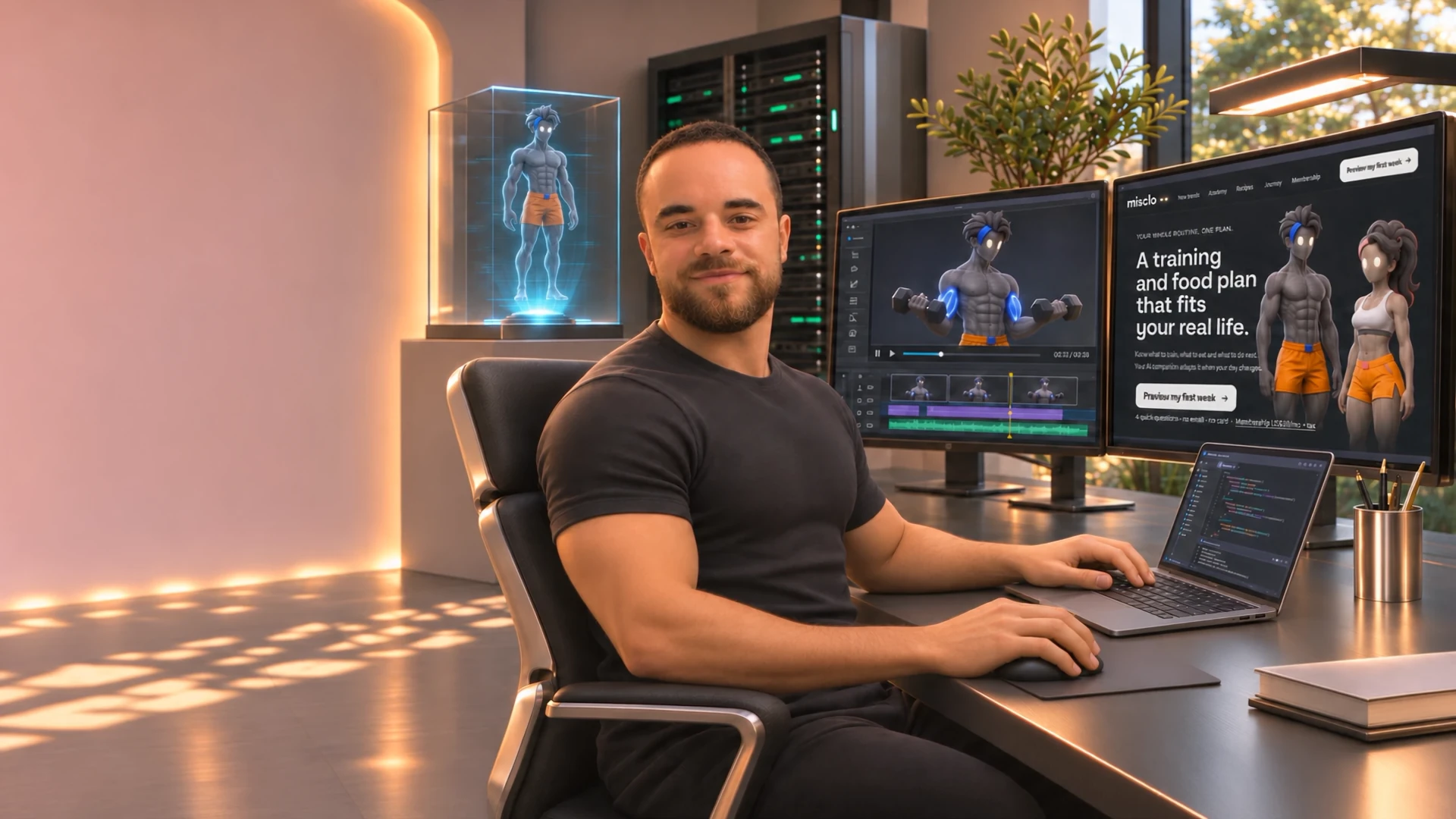
I’ve managed 45+ digital projects. I was CTO of a US marketing agency, where I led a team of 12 developers. Today I work solo, with AI as my team, and I build in public from Bali.
Right now that means Misclo, my own app in development (launch set for 1 January 2027), and Theo, a 3D character I built from a Tripo AI mesh and rigged and animated in Blender with AI-written tools. Every tool in this library uses the same habits those builds run on: the owner’s words kept verbatim, one change at a time, checks before anything is shown, and a rollback kept until I approve the new version.
- 45+digital projects managed
- 12developers in the team I led
The face on the Labgenz Instagram reels is an AI version of me, and it’s always labelled. Read how I use it